Does your device have an existing internet connection?
Wi-Fi Request Form
We can add your WiFi remotely, just complete this form:
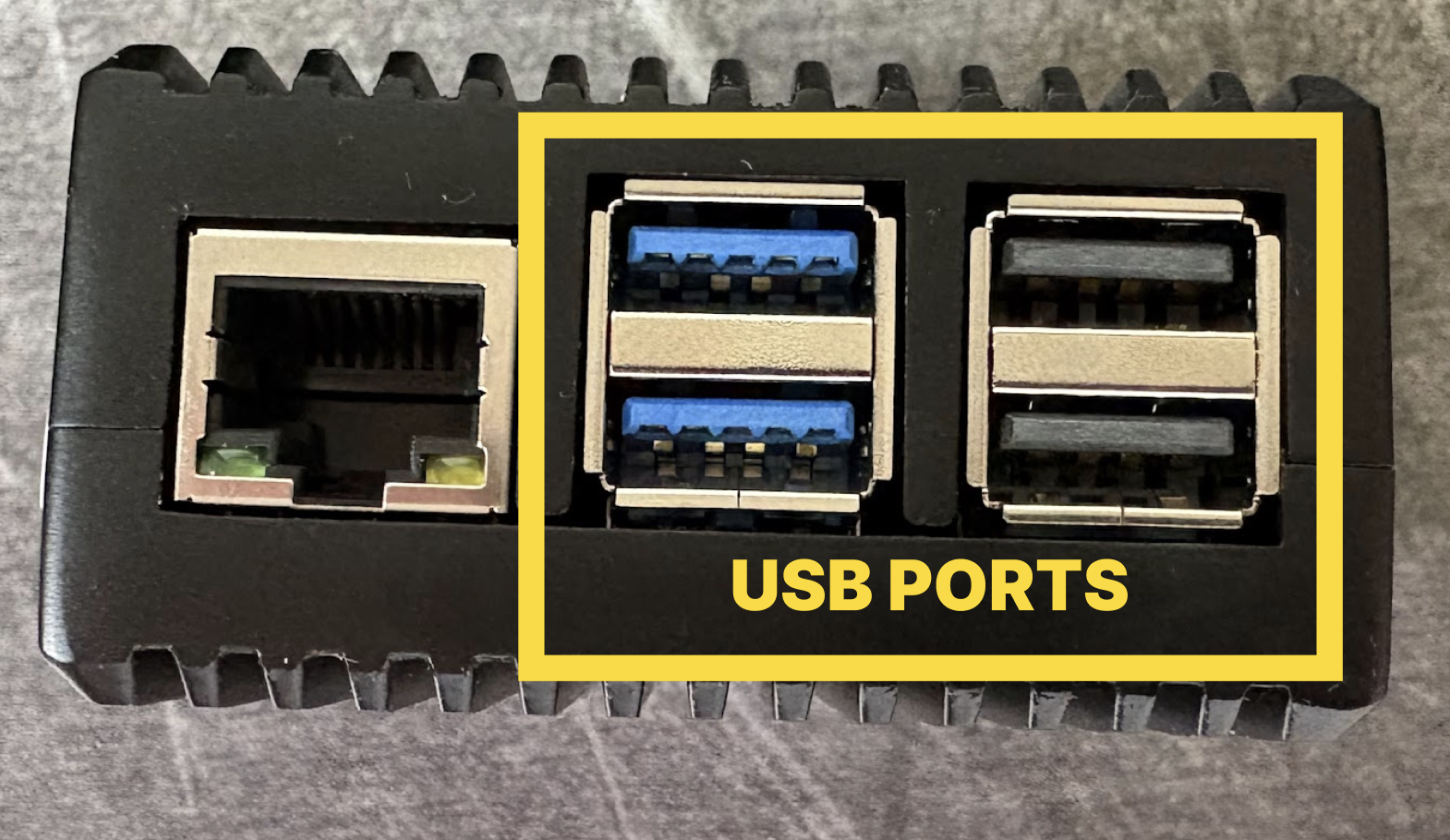
Connect a USB mouse to the Merlin device, using any available port.
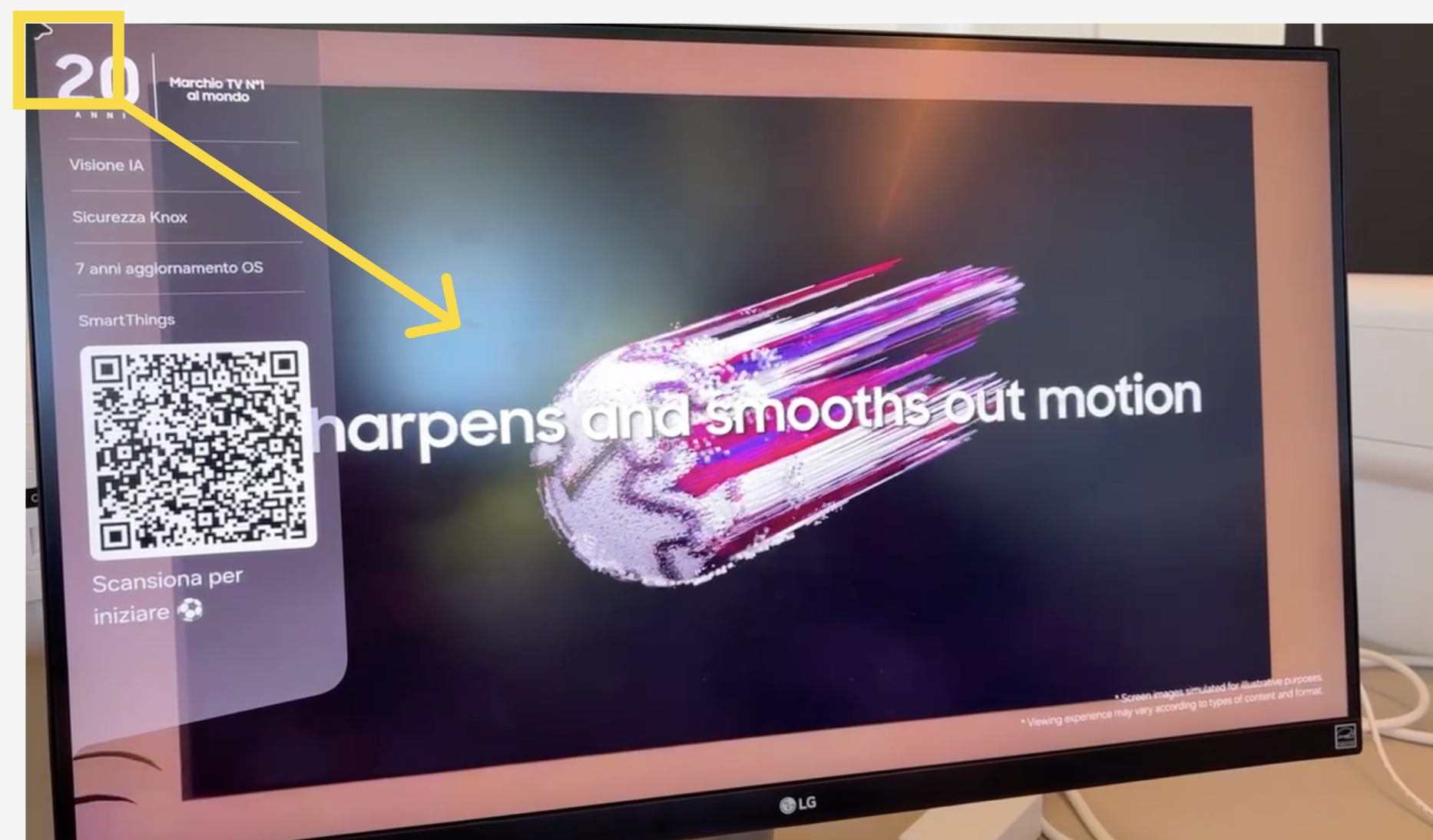
Drag the mouse sharply from the top left corner of the screen towards the centre to open the menu.
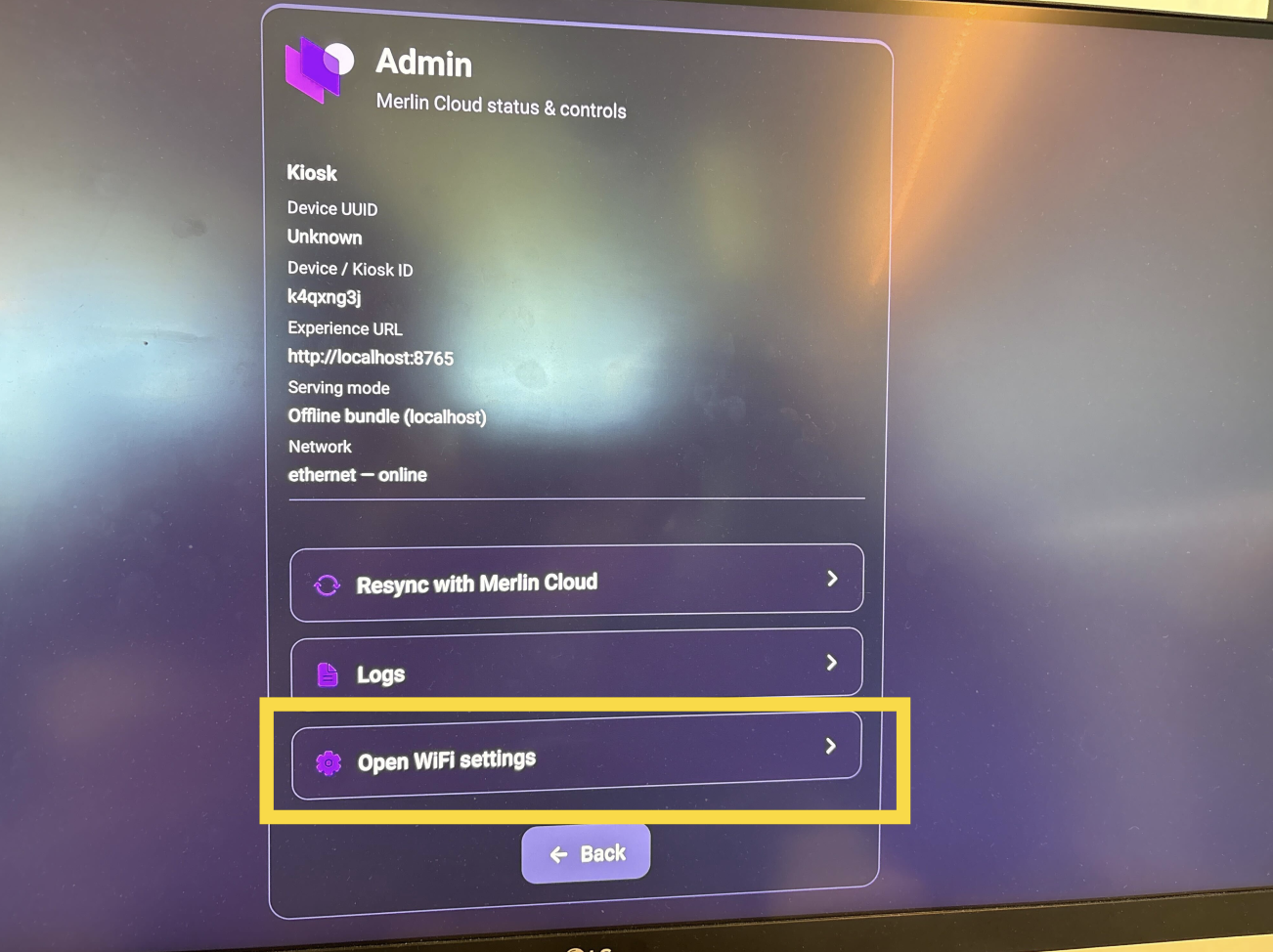
Click on Open WiFi Settings
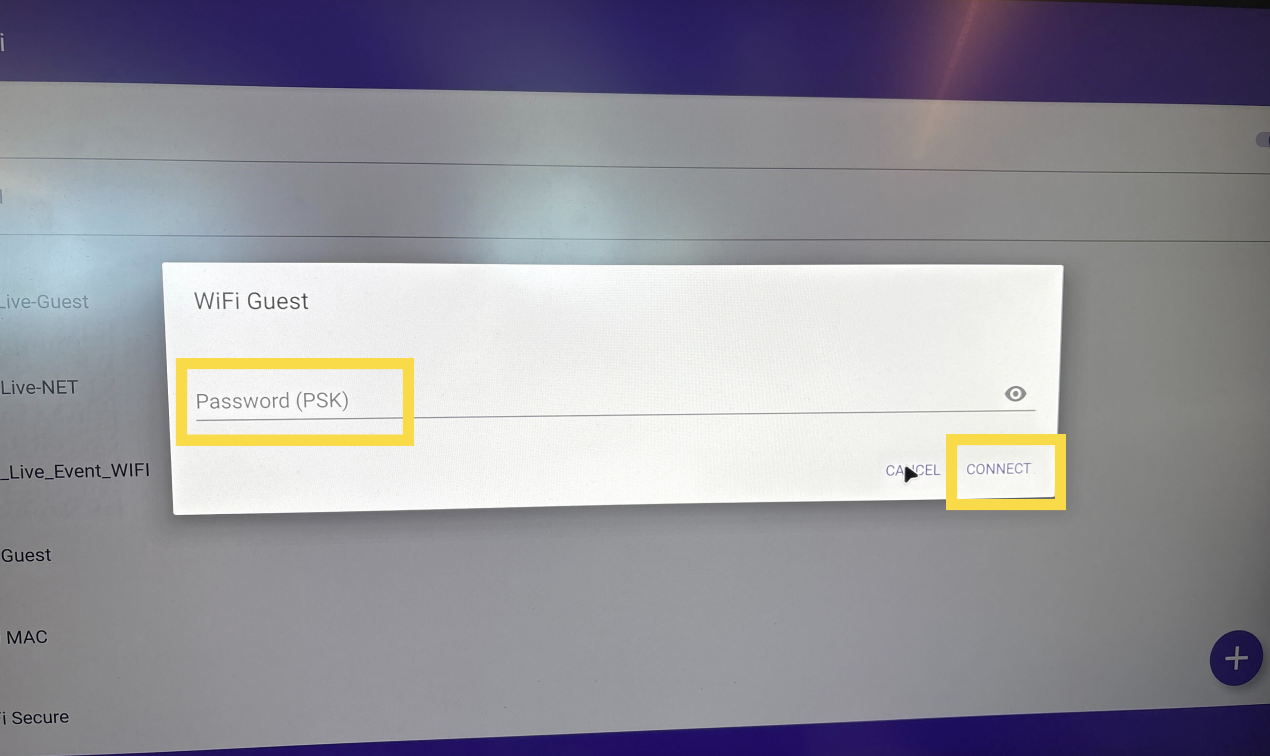
Click on the network you'd like to connect to, enter the password, and click Connect.
For hidden networks, click the plus button in the bottom right of the screen to enter the SSID manually.